
What This Page Is For
The Start Here page contains four main areas:
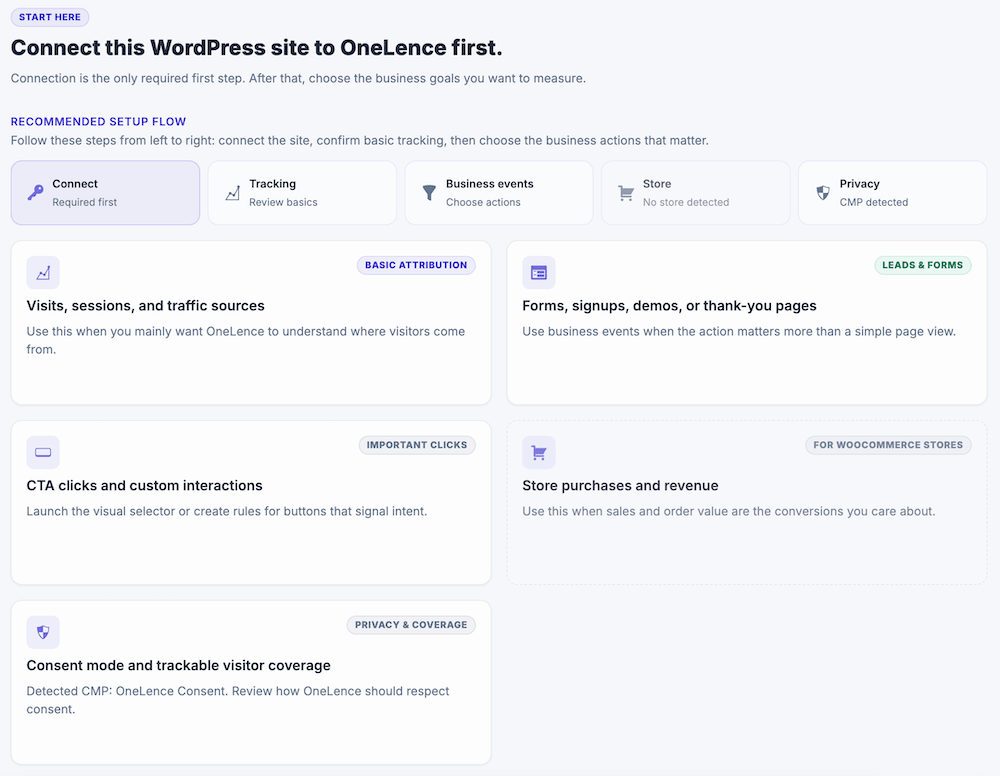
- status check cards
- quick link cards
- plugin activity dashboard
- connection test
These sections are meant to help you review your setup and move to the next relevant task.
Status Check Cards
The status check cards give you a quick view of the most important setup areas.

Use them to review whether key parts of the plugin still need attention, such as:
- the OneLence connection
- tracking readiness
- store-related setup
- business events setup
- privacy-related review
These cards act as a simple setup checkpoint at the top of the page.
Quick Link Cards
The quick link cards help you jump into the part of the plugin that matches your current goal.
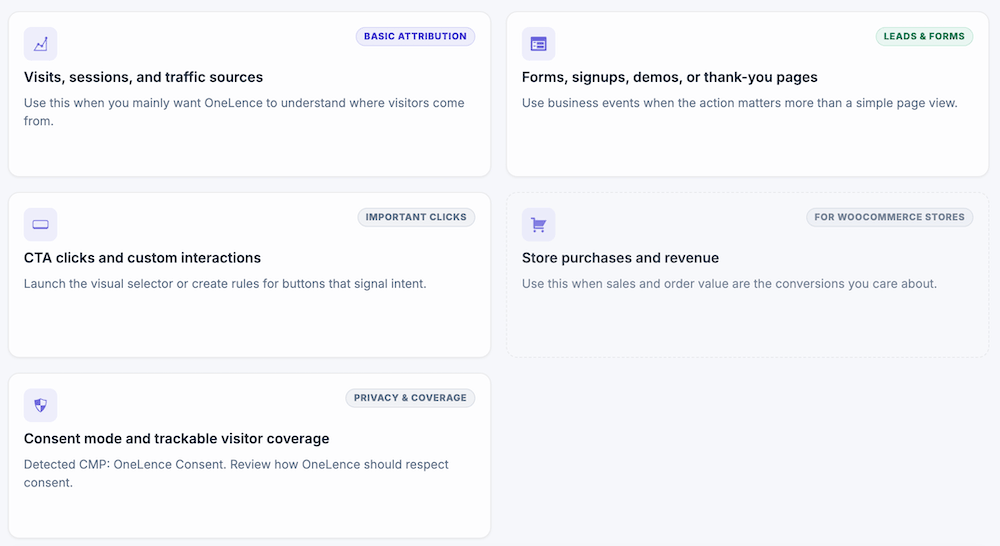
The current quick links cover these areas:
Visits, sessions, and traffic sources
Use this when you mainly want OneLence to understand where visitors come from.
This is the most relevant path when you want to focus on attribution and traffic analysis first.
Forms, signups, demos, or thank-you pages
Use this when you want OneLence to understand important business actions instead of only general page visits.
This area leads into the business event setup.
CTA clicks and custom interactions
Use this when important clicks or interactions on your website should be tracked as meaningful signals.
This area also leads into the business event setup.
Store purchases and revenue
Use this only when your site uses WooCommerce and store purchases are part of your OneLence setup.
If your website does not use WooCommerce, this card is not relevant for your setup.
Consent mode and trackable visitor coverage
Use this when you want to review how OneLence Connect should behave in relation to consent and trackable visitor coverage.
This area is helpful when privacy-aware behavior matters for your website setup.
Plugin Activity Dashboard
The Plugin Activity Today card shows a local WordPress-side estimate of recent plugin activity.
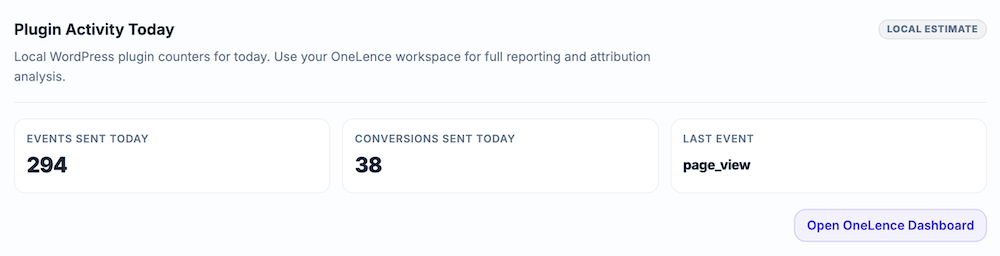
This card gives you a quick summary such as:
- events sent today
- conversions sent today
- the most recent event name
Use this as a quick reference inside WordPress. For full reporting and attribution analysis, open the OneLence dashboard.
Connection Test
The Connection Test card helps you verify whether the plugin can send a test event to OneLence.

When you send a test event, the plugin sends one harmless server-side test event and returns the request result.
Use this when:
- you have just completed the connection setup
- you want to verify that the plugin can reach OneLence
- you want to check whether the current connection is working as expected
This is a verification tool. It does not replace the actual connection setup in the Connect tab.
How To Use This Page
A common way to use the Start Here page is:
- review the status check cards
- open the relevant quick link card based on your goal
- verify plugin activity if needed
- run a connection test if you want to confirm the connection
This page is meant to orient you and help you move into the correct setup area. The actual configuration still happens in the related plugin tabs.
Continue With The Detailed Setup
Once you understand the setup state and the next step, continue in the related tab.
Use the pages below for the detailed instructions: